How it works
1.
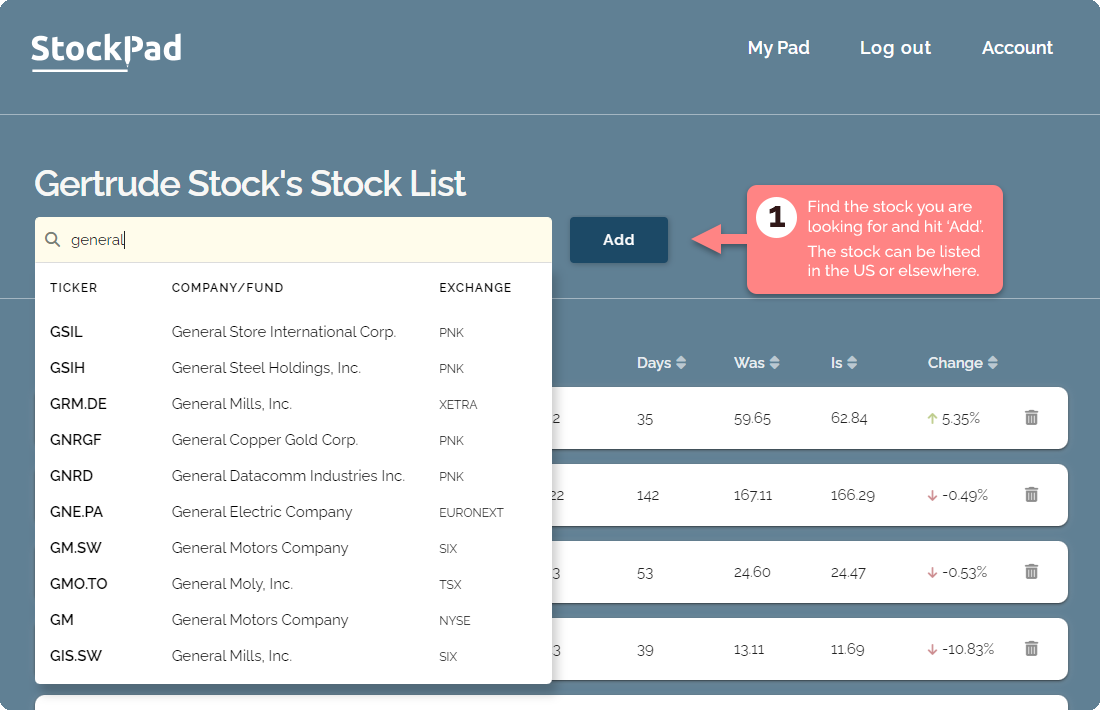
Find the stock you are looking for — by its ticker or the company name. Then hit 'add'.
2.
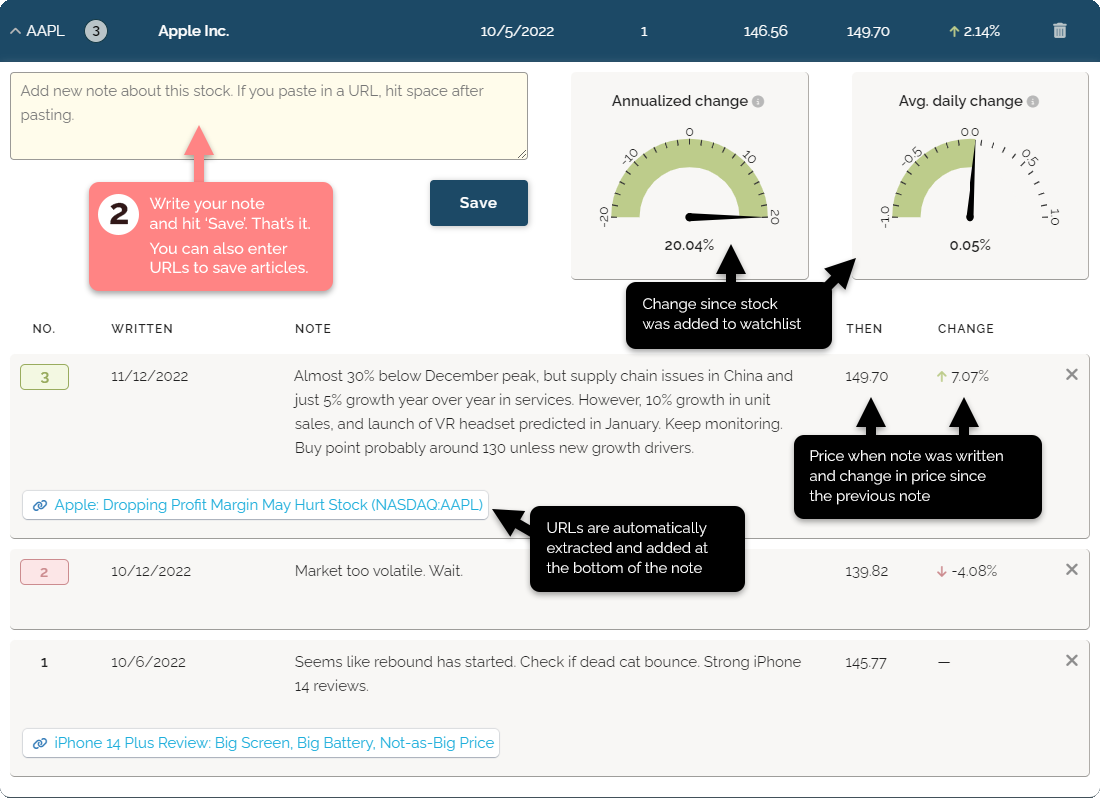
The stock has now been added to your watchlist. You can now write notes to it, and StockPad will track the change in price between notes — and show you basic stats about how the stock has performed since it was added.
3.
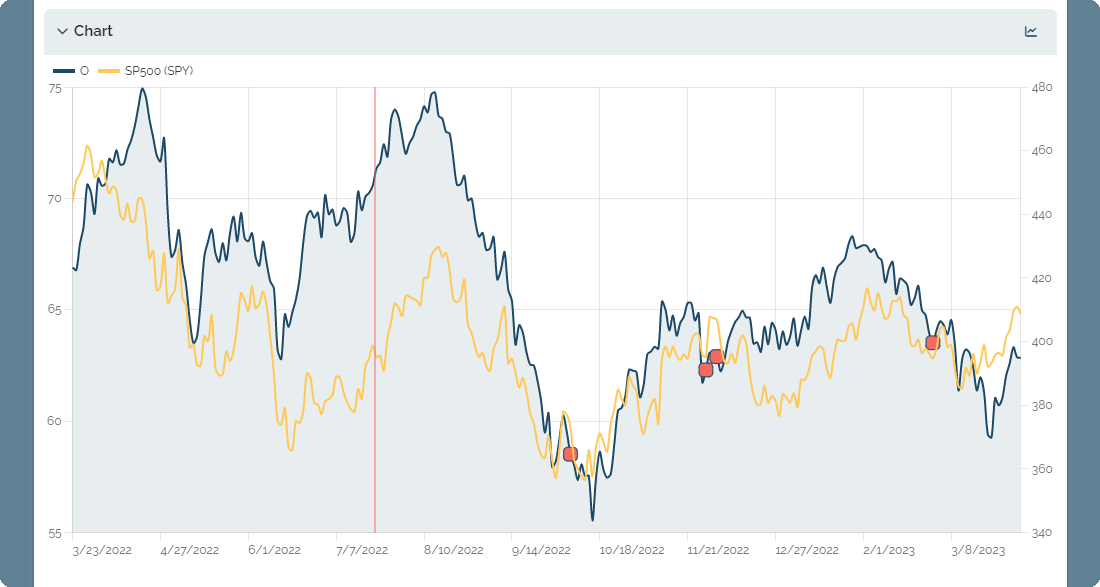
You can open a chart for each stock. The dates you wrote notes are marked, and a chart for the SP500 index is superimposed onto it to make it easy to compare your stock's movements with the wider market.
4.
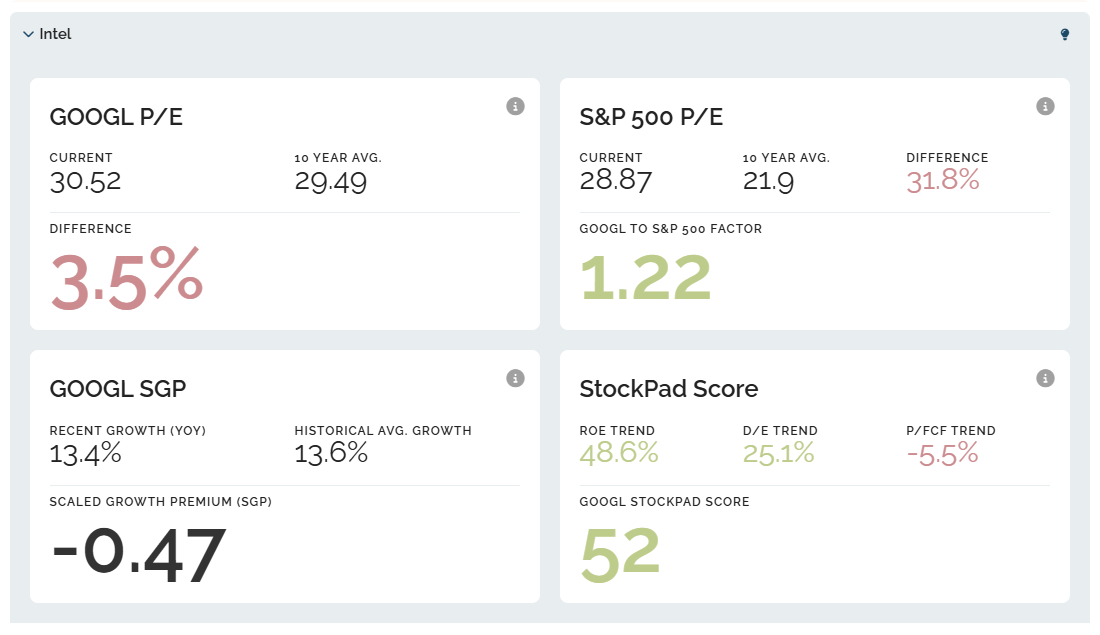
In the Intel section you will find key metrics for the stock — computed by StockPad. You can click the 'i' icon in each box for more details. This section was introduced December 2025, and the algorithm used for the final 'StockPad Score' may be tweaked. If so, this will be recorded in the Updates Log.
5.
That's it. Your stock and your notes are saved. Come back any time to read or add new notes.